Get bank marketing tips delivered to your inbox
For businesses that have multiple locations, managing your brand on Facebook can be a real challenge. As you search Facebook for your business by name you’ll likely notice the brand page you created, plus a number of Facebook “Places” or unofficial pages for various branch locations. These pages are created as a result of someone “checking in” to one of your business locations with their Facebook mobile app, or Facebook may have created the page after aggregating business data from another source.
Claim them all! It can be a tedious process, but without claiming them you won’t be able to fix incorrect information or utilize the pages for marketing efforts. Each individual Location page represents a great opportunity for your financial institution to receive reviews and check-ins from Facebook users that visit individual branch locations.
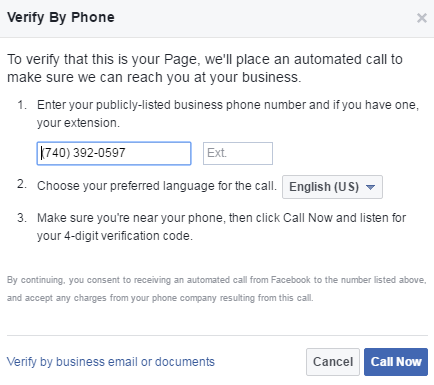
In order to claim a Facebook Place page, you’ll need to click the link titled “Is this your business?” to get started. You’ll then be presented with the option to merge the page into another verified Facebook page, or claim the page and keep it active. Facebook verification requires an automated phone call to the number associated with the page, submission of an official business document, or proof that your account is associated with a business email address that matches the business name.
Once you’ve claimed all the Places pages you could find for your financial institution, you’ll need to request access to the Facebook Locations feature. Once Facebook approves your request, you’ll receive an email letting you know the feature is now available to you. If you visit the Settings tab of your main page you’ll now see a tab for Locations.
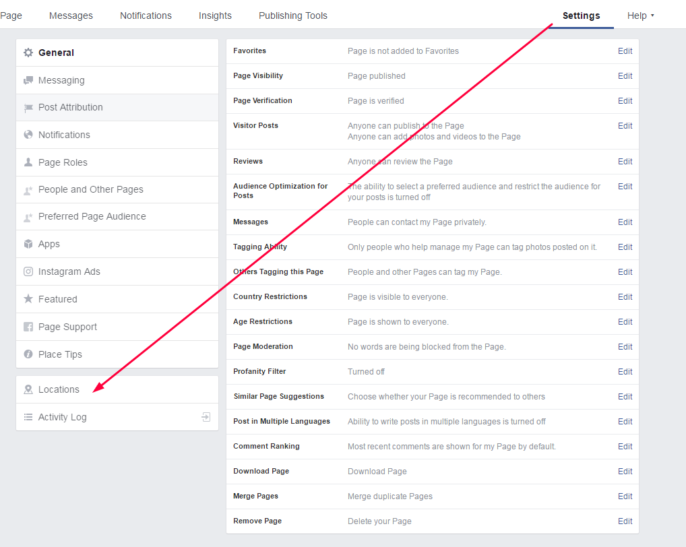
Within the Facebook Locations settings you can decide whether to automatically repost any updates published on your main page to every location page. You can also decide whether or not to make nearby location pages visible to users on your main page. The last setting is for your Location Descriptor, or the physical description of your location (city name, shopping center location, etc).
It may seem like a lot of effort to verify all your branch locations on Facebook and apply for access to the Facebook Locations feature, but there are benefits!
Here are a few reasons to use Facebook Locations:
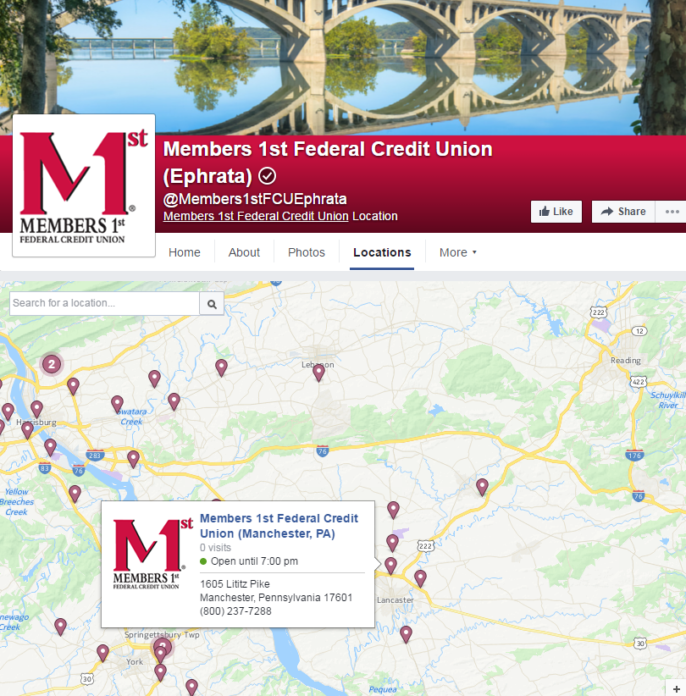
Here’s an example of what Facebook Locations would look like for your bank or credit union:
With 1.65 billion monthly active visitors, Facebook remains an enormously powerful platform. It’s worth noting that currently 54% of those monthly active visitors access the site exclusively by mobile device. If your financial institution is not paying attention to how your brand is represented on Facebook, you might want to reconsider! Taking advantage of Facebook Locations for your bank is a smart way to improve the interaction Facebook users have with your brand, and boost local visibility especially with mobile users.